

overview
getting started
what's new

Experience Manager enables deleting a Swimlane within a specified Category under a Bouquet.
To delete a Swimlane, do the following:
Access the Experience Manager Interface by clicking on Experience > Experience Manager from the left navigation bar in the Synamedia Business Operations Console main landing page.
Scroll to the swimlane to be deleted.
Click displayed on the top right corner of the swimlane.

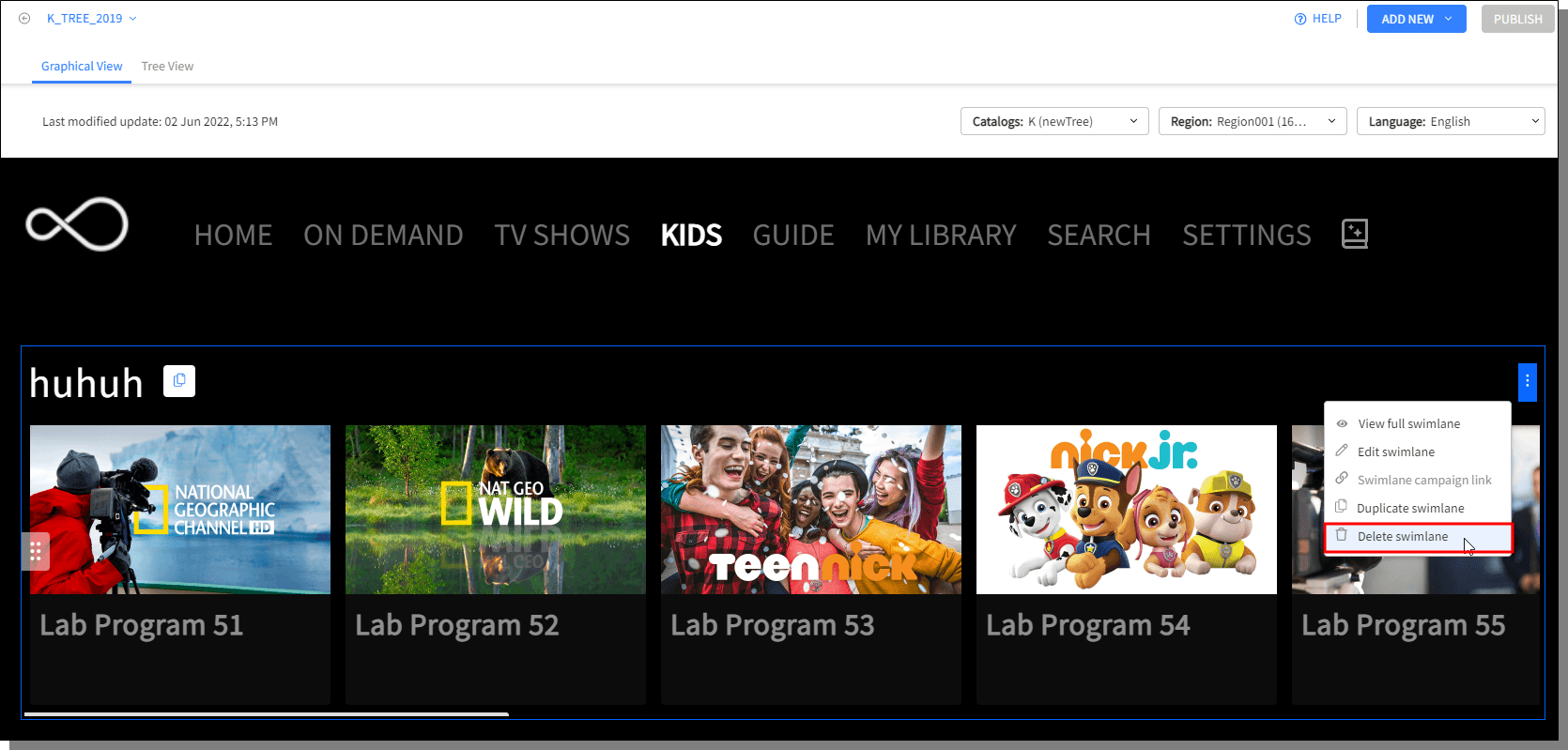
Click Delete Swimlane. The deleted swimlane cannot be recovered.
A confirmation will be displayed, confirm deletion.

