


Experience Manager enables duplicating any Swimlane across Categories and Portals.
To duplicate a Swimlane, do the following:
Access the Experience Manager Interface by clicking on Experience > Experience Managerfrom the left navigation bar in the Synamedia Business Operations Console main landing page.
Scroll to the swimlane to be duplicated.
Click displayed on the top right corner of the swimlane.

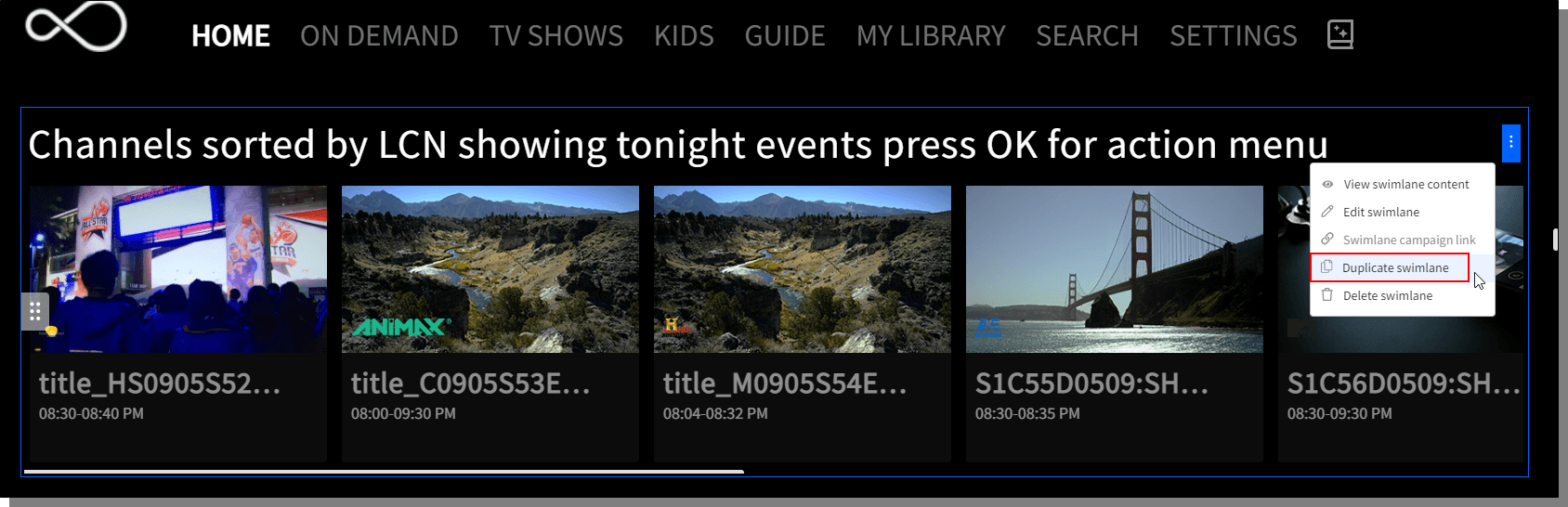
Click Duplicate Swimlane.
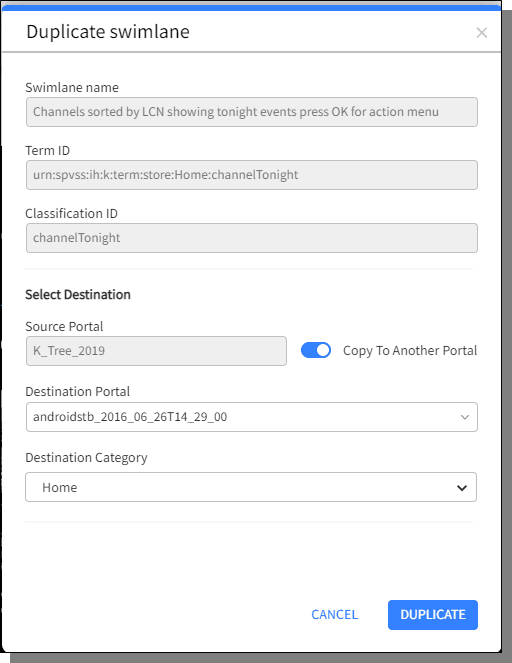
The swimlane can either be duplicated in the same portal under a different Category or choose the portal in which the duplicated swimlane has to be added by enabling Copy to Another Portal toggle button.
Click Duplicate to complete the process. Publish the duplicated swimlane to view it.
Experience Manager enables duplicating any Category across Portals.
To duplicate a Category, do the following:
Access the Experience Manager Interface by clicking on Experience > Experience Managerfrom the left navigation bar in the Synamedia Business Operations Console main landing page.
Click displayed beside the Categories on the right.
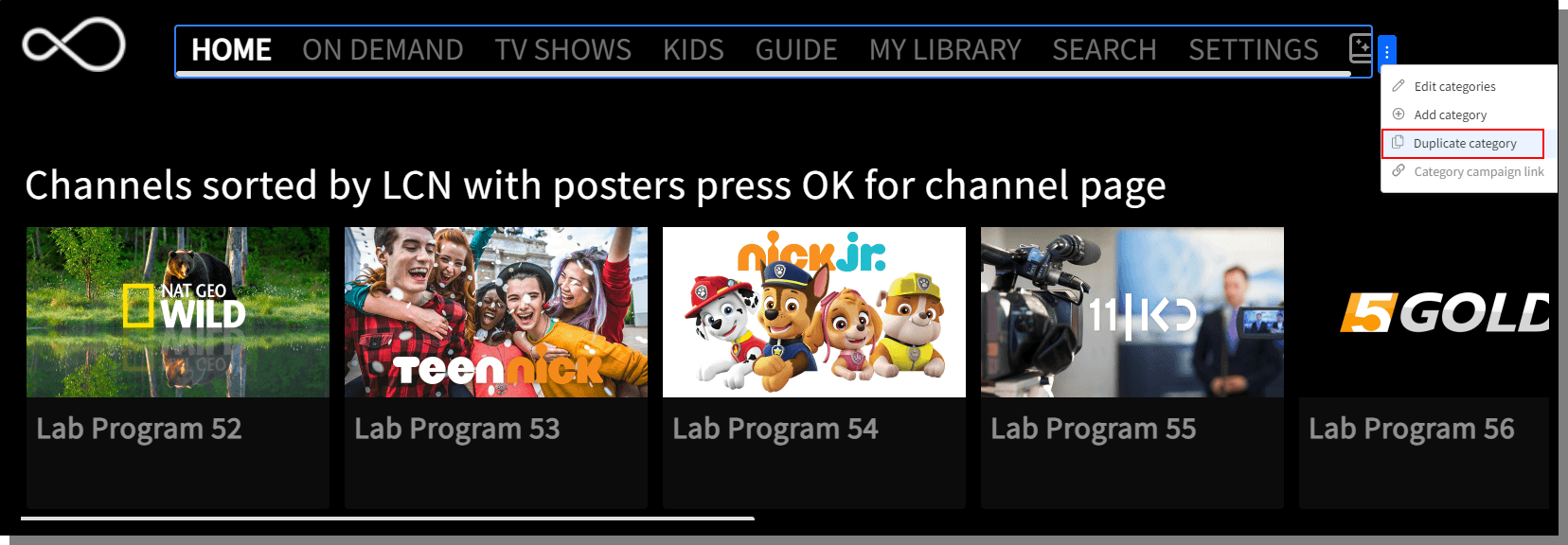
Choose Duplicate Category.
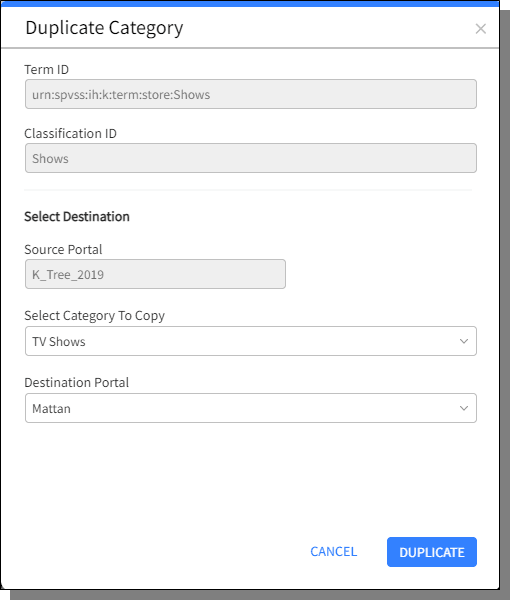
Choose the Category to be duplicated and a Destination Portal.
Click Duplicate to complete the process. Publish the duplicated Category to view it.

